After the opening of the Film Development Board, Nepali cinema went downhill: Neer Shah

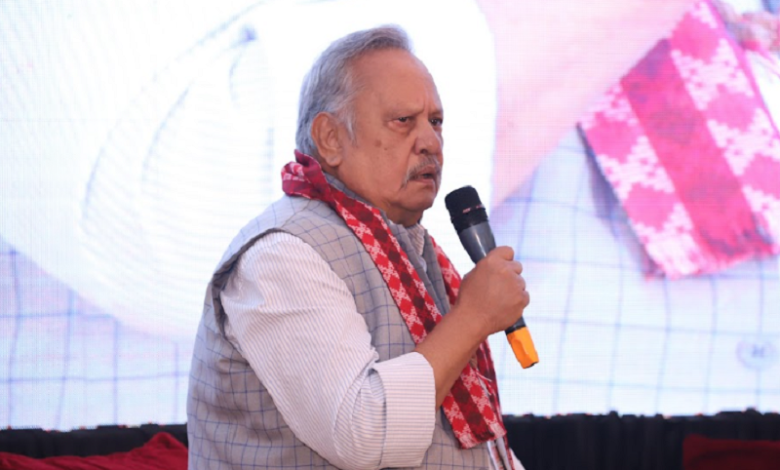
Kathmandu- Neer Shah is a famous personality in Nepali film industry. He acted in dozens of movies. He is also a lyricist who has directed original films on history and narrative like ‘Vasanti’, ‘Seto Bagh’ and ‘Vasudev’. Edited part of Shah’s statement about the changes in the cinema sector and his experience in the ‘Reel in the Twenty-first Century: Development of Nepali Cinema’ session of the Kaling Literature Festival held in Lalitpur:
One was a chubby-cheeked producer. I used to write songs, Shambhujit used to do music. We were at Shabhujit. The producer would also come. We lived in a box. He used to sit with 4 discs. I used to say to Shambhujit – Look Jeet Babu. Now this producer’s cheek has fallen. The movie continues till the end.
I also worked in his movies. He didn’t give money. He said he will give it after the dubbing is over. By the time dubbing came around, I didn’t think his promise would be fulfilled. ‘I’m not dubbing without paying you,’ I said. He brought an envelope before the dubbing. The envelope was white. Then I did the dubbing.
After finishing dubbing, I opened the envelope on the table. There is a piece of paper in the envelope. It was written on the leaflet, ‘Sorry bro, I couldn’t make it today.’
Then he disappeared. He was not seen for a long time. Shambhujit is also yet to be paid. One day we both went looking for him. met him. Cheeks have reached the point of being crossed. As soon as he saw it, he said, ‘Dai would have been able to eat hot rice. Don’t give 2 thousand.’
‘What is it brother? We have come to get our wages,’ I said. Shambhujit said, ‘Brother let me eat rice’. I had 500, Shambhujit had 300. We returned after giving him 800 rice to eat. His face has not been seen since then. Such incidents keep repeating.
What he did was that he gave 8 rupees to people who were supposed to pay 2 rupees in the film. The person who was supposed to pay 2 rupees was not given even that much. You hear that so-and-so was given so much money. Similarly, he fed so and so unnecessarily. But it took the labor of a technician. It is my sincere prayer that such manufacturers should disappear in this country.
Now let’s talk about the difference between yesterday and today in the national cinema of Nepal. Earlier filmmakers believed that cinema cannot be made on our stories. He believed that the story of making movies is not around us. If someone tried to make a movie out of his story, he would say that he did not make a movie.
Now there has been an unprecedented change. The present generation strongly believed that we can make our cinema in our own story. Cinema is directly connected with mind and brain. The unprecedented change seen in the mindset of Nepali filmmakers is the same change seen in yesterday’s and today’s cinema. After many struggles, I made movies like Vasanti, Seto Bagh, Vasudev.
While making a movie, one had to face the pressure of unnecessary things.
When talking about realism, the audience wants to see the events that happened in the story of the cinema happen in their own lives. They try to get into the character of that movie. This is where realism has a great meaning. The more you try to get closer to human sensibility, the more human you have to be. To be more human had to be more natural. The more natural and human it can be, the more strongly it presents human emotion in totality.
Realistic films may be preferred early in some countries and late in some countries. But that’s what prefers slow. Ultimately, filmmakers will try to show cinema as close as possible. That is the cinema of tomorrow.
Unrealistic approaches are gradually disappearing. The gradual disappearance of artificiality means that realism becomes more influential.
I am also aware of what kind of pain the producer has to go through when presenting based on realism. I tried to do it and tried not to. Even if he did that, it would not be the same as if he didn’t. Even if you don’t do that, it won’t happen.
Looking at the psychology of the audience, the maker should understand that ‘cinema is an art with the highest amount of commercial potential’. Art with the highest amount of commercial potential is the reason why it has been established as a huge industry. From the time when Shiva danced Tandava to the present, the art has taken various forms. It is improving the medium of expression. No one can be separated from this art.
Don’t get confused about what cinema should be like. But when talking about the state side, it keeps getting pinched. The state definitely helped the film industry. * From 2042 to 2058 is the period when the state helped the Nepali film industry the most. 75 percent of the entertainment tax was returned to the producers.
Famous director Tulsi Ghimire’s film ‘Lahure’ was played at Bhrikutimandap’s Hivision Hall. Its performance was managed by Nepal Television. At that time I was associated with Nepal Television. That movie received Rs. 33 lakh as entertainment from Nepal Rastra Bank.
The money received for showing movies in the hall was separate. This is the reason why we have reached the stage where we can make 70 films in 1 year from the period of making one film in 2 years. The main reason why the Nepali film market, which was occupied by 70 percent of Hindi films, reached 20 percent and the share of Nepali films increased to 80 percent is also the same.
To top it off, the film industry friends an even in 058 years
You missed it. He demanded the Film Development Board to stop all incentives from the state fund.
This concession was closed to open the Development Board. Since the establishment of Development Board, the downward journey of Nepali films also started.
Now the employees of the Development Board get salary from the money collected by screening Hindi films in the halls. 62 thousand 388 rupees to be received by the chairman is the amount received for showing Hindi movies. What more can we say now?
It was spoiled by our friends in the film industry. If it is to be established again, Nepali cinema will return to rhythm. Otherwise there will be some place to produce Nepali cinema.
But the place is not Nepal.